NEW: the ISO 14001:2026, ISO/IEC 17020:2026 and FSSC 22000 V7 documentation kits are now available.

Interactive tool ยท ISO/IEC 17020:2026 and 2012

Inspector Qualification & Authorization Matrix (ISO/IEC 17020)

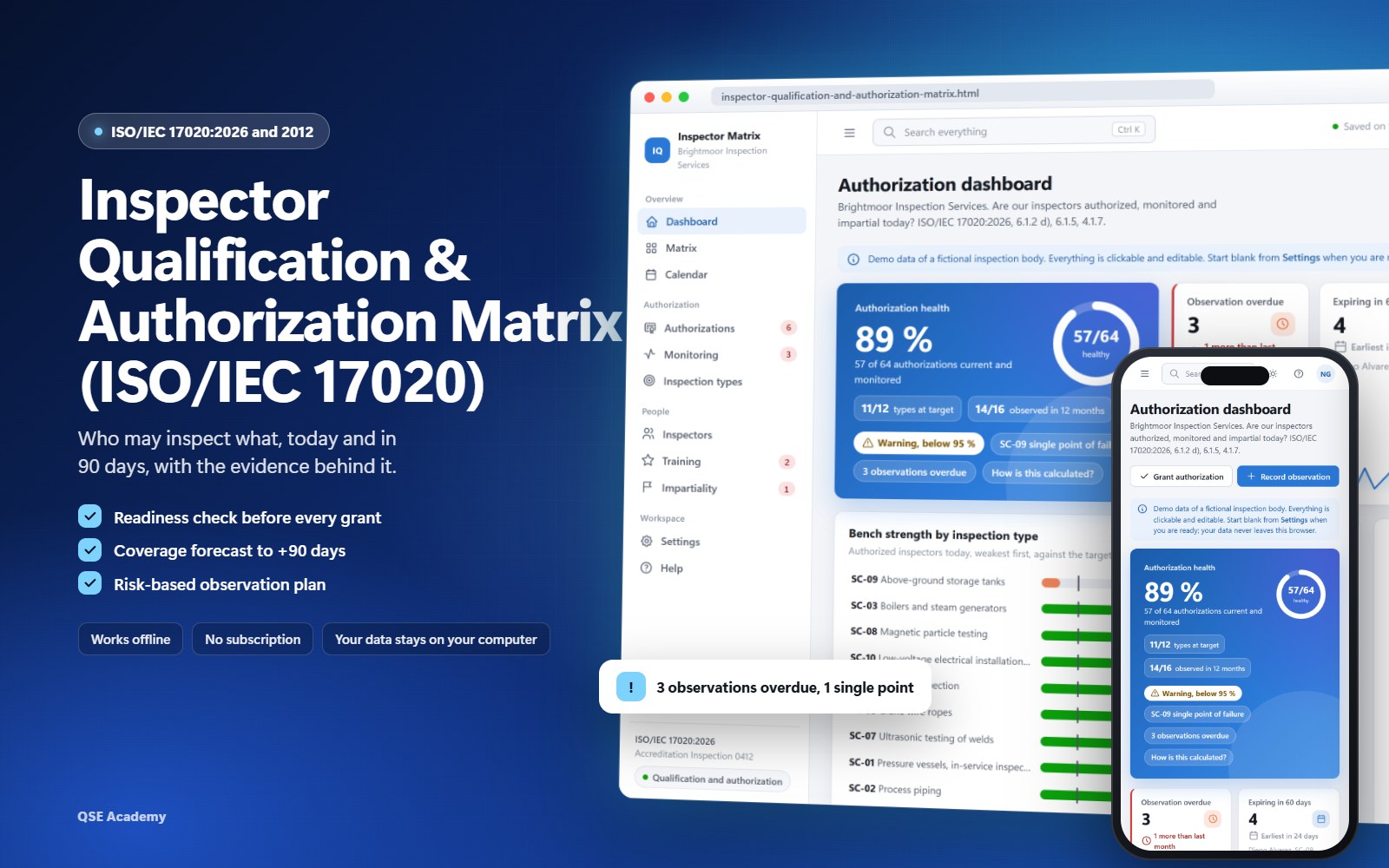
Know who may inspect what, today and in 90 days, with the evidence behind it. A readiness check before every grant, a coverage forecast that shows the gaps before they happen, and an observation plan set by risk.

  • Works offline, no installation
  • Matrix, readiness, observation
  • Demo inspection body, then start blank
  • Light, dark and phone

One-time payment. No subscription. Instant download.

One HTML file that keeps your inspectors, inspection types, authorizations, observations, training and impartiality declarations in a single matrix, built for the personnel requirements of ISO/IEC 17020 (clause 6.1 and the impartiality clauses). Choose the 2026 or the 2012 edition in Settings: every clause reference on every screen and printout follows it. For technical managers and quality managers of inspection bodies.

What you will be able to do

  • Answer the assessor in minutesPrint the authorization matrix as of any date, the competence record card of any inspector and the authorization letter, instead of rebuilding them from personnel folders.
  • Grant only with complete evidenceThe readiness check tests every requirement of the inspection type and keeps the grant locked until each line is met, or until a justified override is recorded.
  • See a coverage gap before it happensMove the matrix to +30, +60 or +90 days: expiring authorizations turn to Expired and single points of failure light up.
  • Never forget to observe an inspectorA 12-month observation plan set by the risk of each type and the last outcome, with overdue observations flagged on every screen.

Three things your spreadsheet cannot do

Authorization matrix replayed at +30 days, with a storage tank type left without coverage
12026 clauses 6.1.1 and 6.1.2 d)

A live matrix that shows your coverage in 90 days

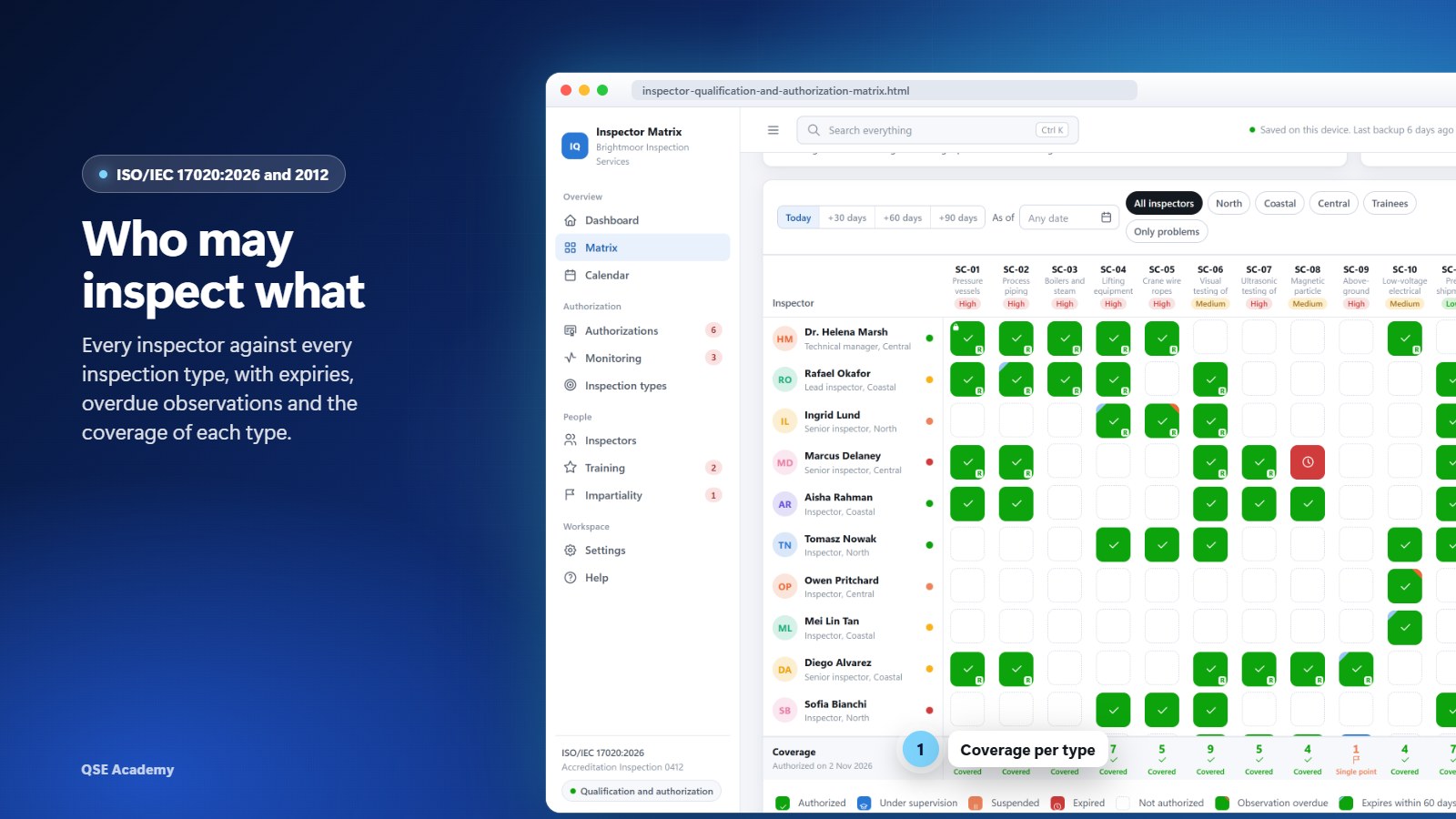
Inspectors in rows, inspection types in columns, one coloured cell per status: authorized, under supervision, suspended, expired, observation overdue or expiring soon. Switch to +30, +60 or +90 days and the matrix replays that date: the coverage row drops and single points of failure light up. Ask "Who can inspect?" for a type, a client and a date, and get the eligible inspectors with the reason for each one excluded.

Readiness check of a trainee inspector, 5 of 7 requirements met, grant locked
22026 clauses 6.1.2 to 6.1.4

No authorization until the evidence is complete

Before a grant or a renewal, the readiness check compares the inspector's record with the requirement profile of the inspection type: education, years of experience with overlapping periods merged, training, certification of persons, knowledge areas, mentored inspections, final observation and a valid impartiality declaration. Each line is Met, Not met or Not applicable, with the evidence. The grant button stays locked until every line is met, or the technical manager records a written justification, printed on the authorization letter.

Monitoring programme with the 12-month observation plan and overdue observations
32026 clauses 6.1.5 to 6.1.7

An observation plan set by risk, with the follow-up built in

For every authorization, the tool computes when the inspector must next be observed on site, from the risk of the inspection type and the last outcome, under your own policy. A 12-month plan shows who is due when, and overdue observations are flagged on the dashboard, the matrix and the register. An Unsatisfactory outcome proposes a suspension, a training need and a re-observation date.

Stop rebuilding the matrix the week before the assessment

89 USD, one-time payment. Open the file and work, offline, from the first minute.

Buy the tool, 89 USD

What's inside

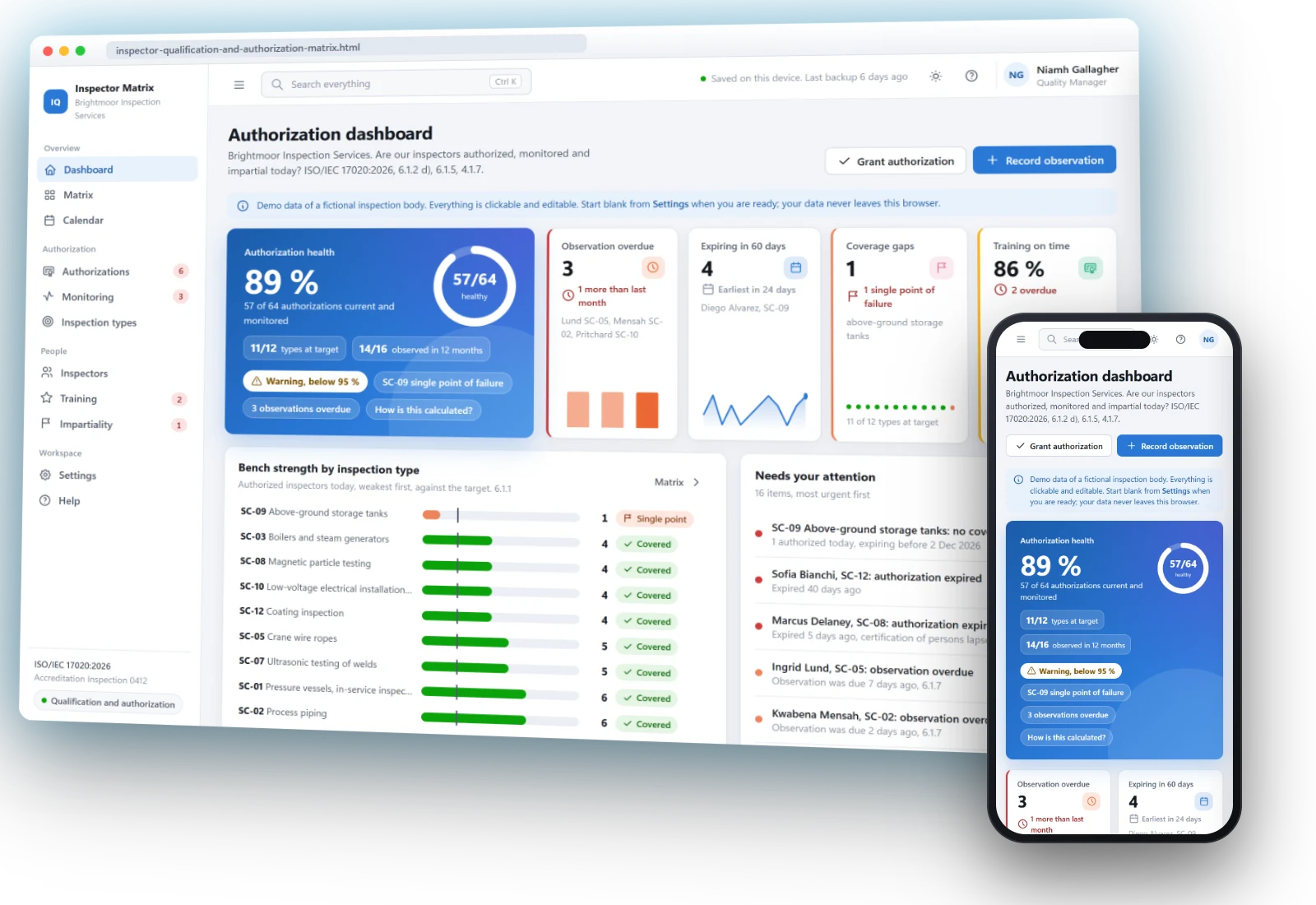
Dashboard

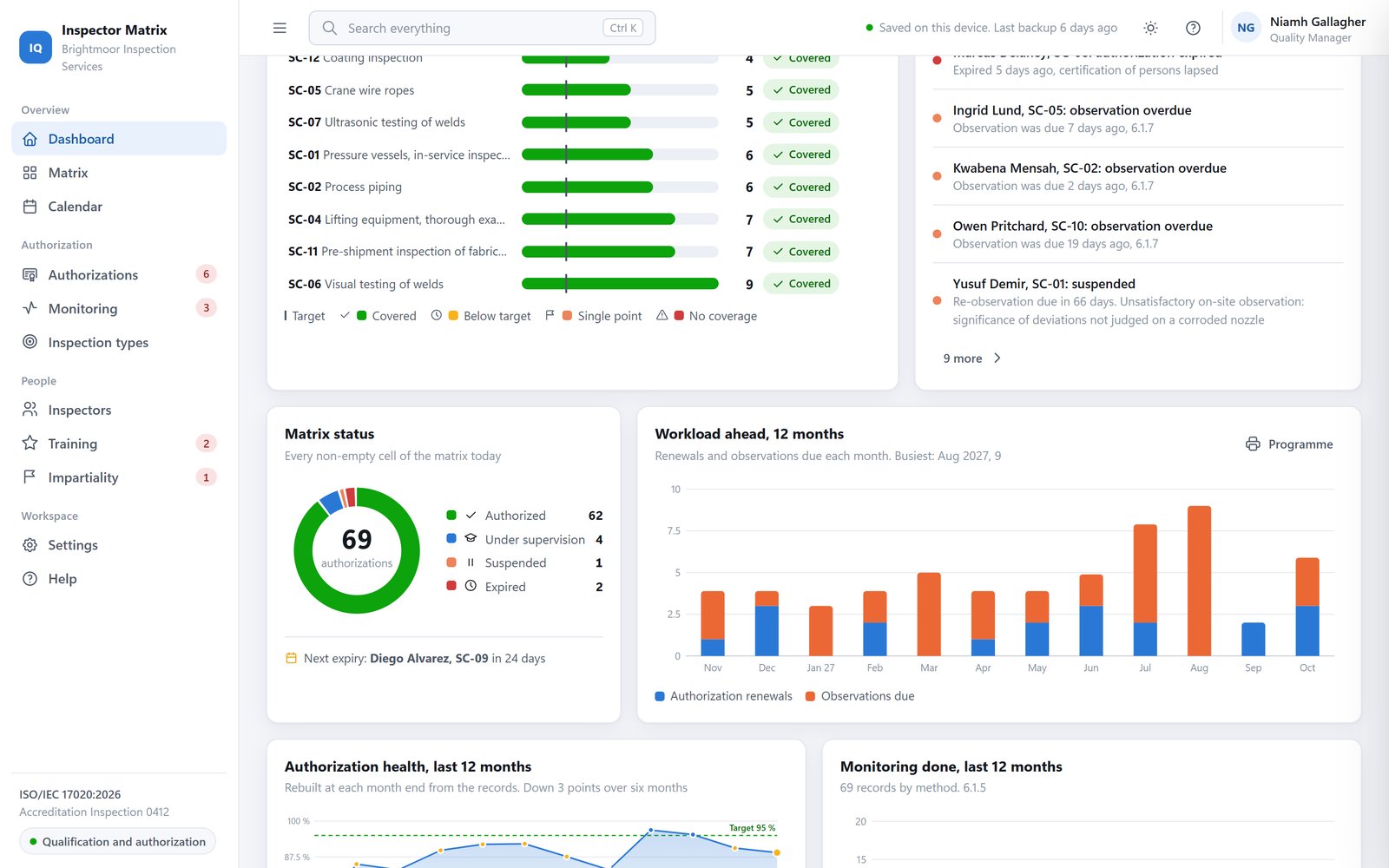
Are your inspectors authorized, monitored and impartial today? Authorization health, overdue observations, authorizations expiring in 60 days, coverage gaps, the training plan, bench strength by inspection type, the health trend and an attention list sorted by urgency.

Dashboard with authorization health, bench strength by inspection type and health trend
Authorization matrix and "Who can inspect?"

Every inspector against every inspection type, with the coverage of each type, a horizon switch to +30, +60 and +90 days, filters by office or problems, print as of a date and CSV export.

Authorization matrix with coverage per type
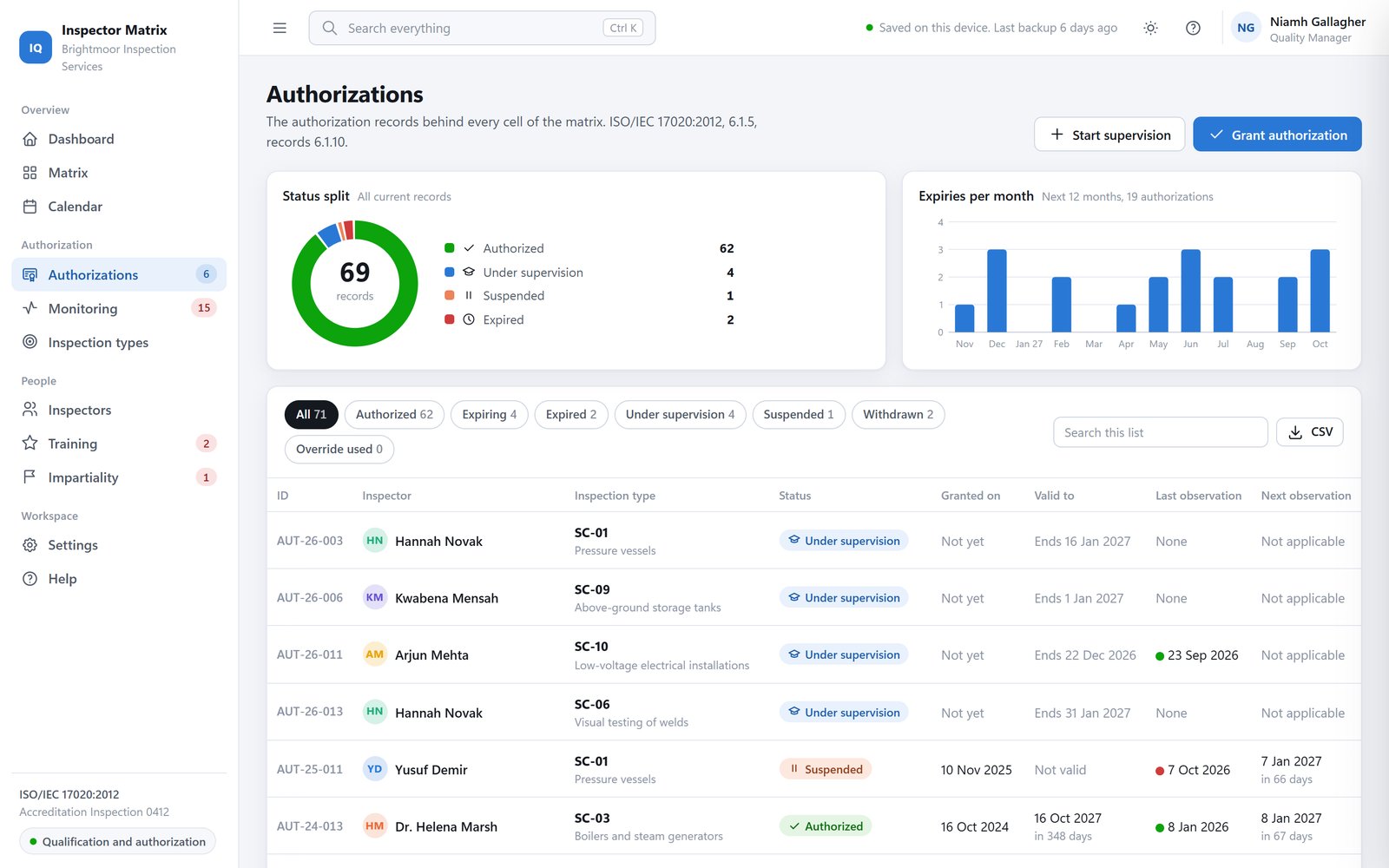
Authorizations and readiness check

The register of every grant with its scope, limitations and validity, the mentored period under supervision, a lifecycle timeline, a history log that is never deleted and a printable authorization letter.

Readiness check before a grant
Monitoring and observation records

The 12-month observation plan, observation records with your criteria checklist, outcomes by month and the effect of each outcome on the authorization.

Observation plan and monitoring register
Inspectors, inspection types and training

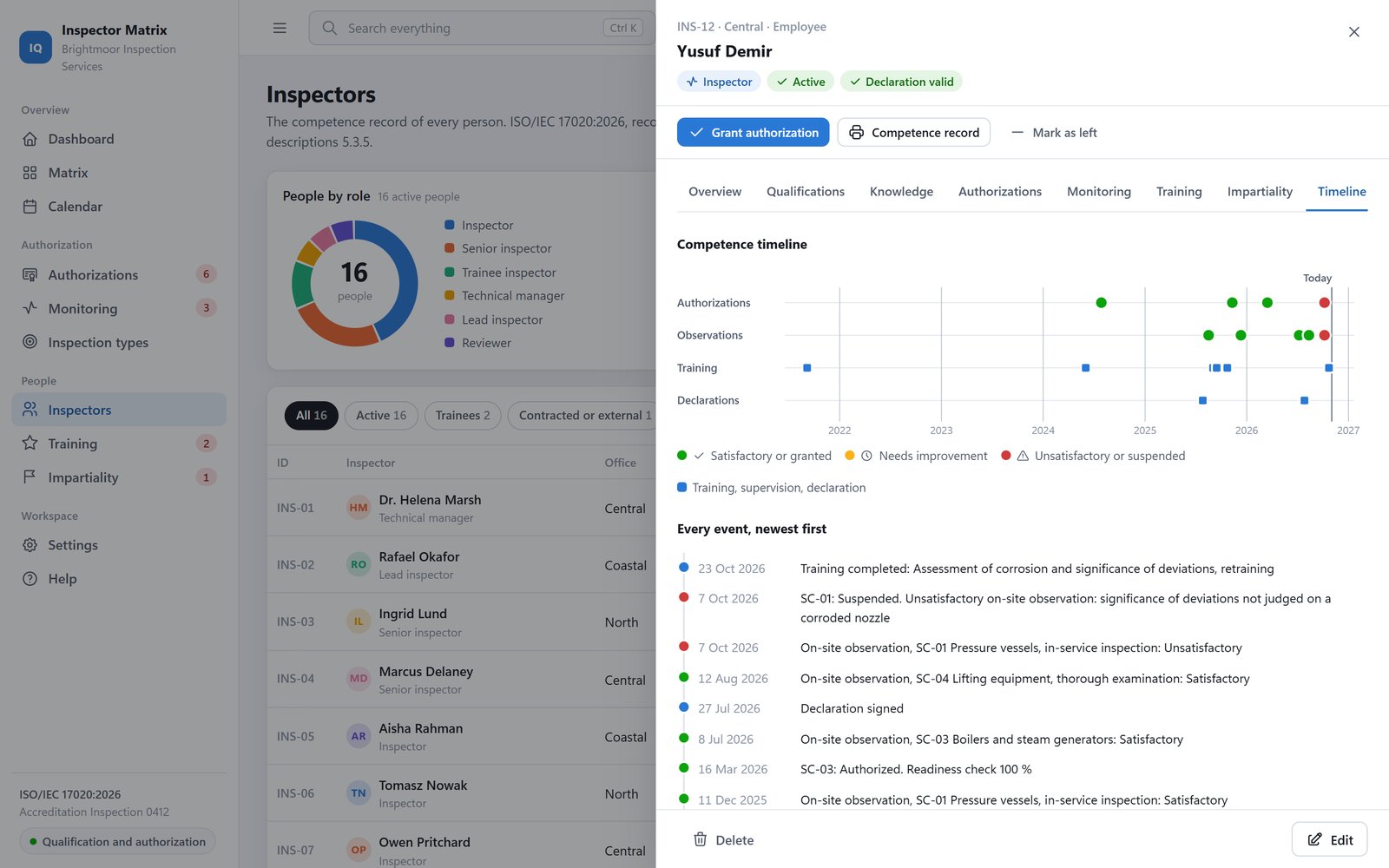
The competence record of every person (education, experience, certifications, training, authorizations) with a timeline of every event and a printable record card. Each inspection type carries its risk level, target number of authorized inspectors and requirement profile. The training plan shows what is overdue and the gaps that block an authorization.

Inspector record with the timeline of every event
Impartiality declarations

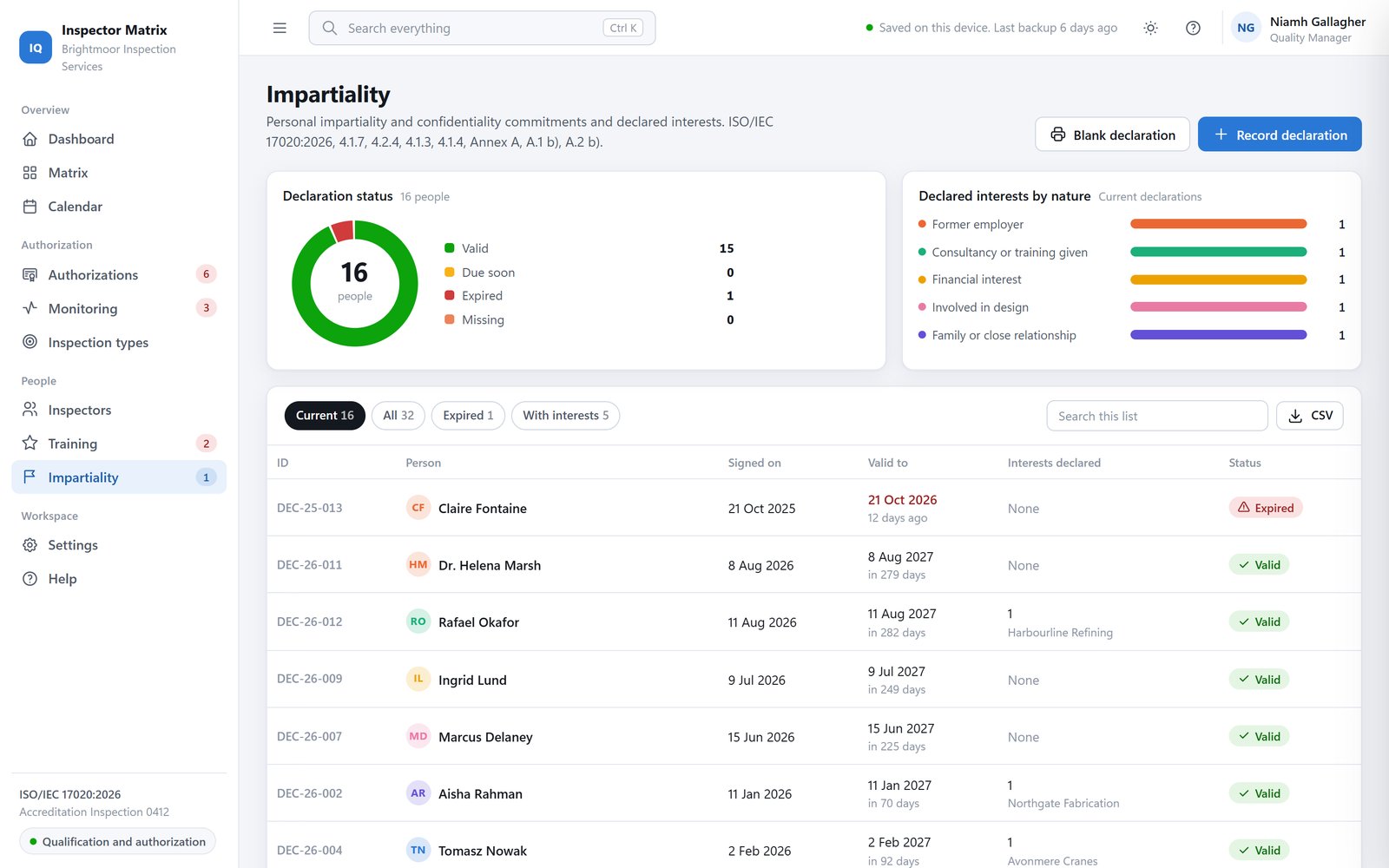
Declarations and declared interests. An inspector with an active interest in a client is flagged before you assign the inspection, and excluded from the "Who can inspect?" list.

Impartiality register with declarations and declared interests
2026 or 2012 edition

ISO/IEC 17020:2026 by default, ISO/IEC 17020:2012 in one click. Every clause reference follows the edition, and a table in Settings shows the matching clauses of both editions side by side. Your data does not change.

Settings with the 2012 edition selected and the clause table of both editions
Calendar and prints

Every due date in one place: expiries, observations, training and declarations. Prints: authorization matrix, competence record card, authorization letter, observation report, 12-month monitoring programme, impartiality declaration form and a competence summary for the management review.

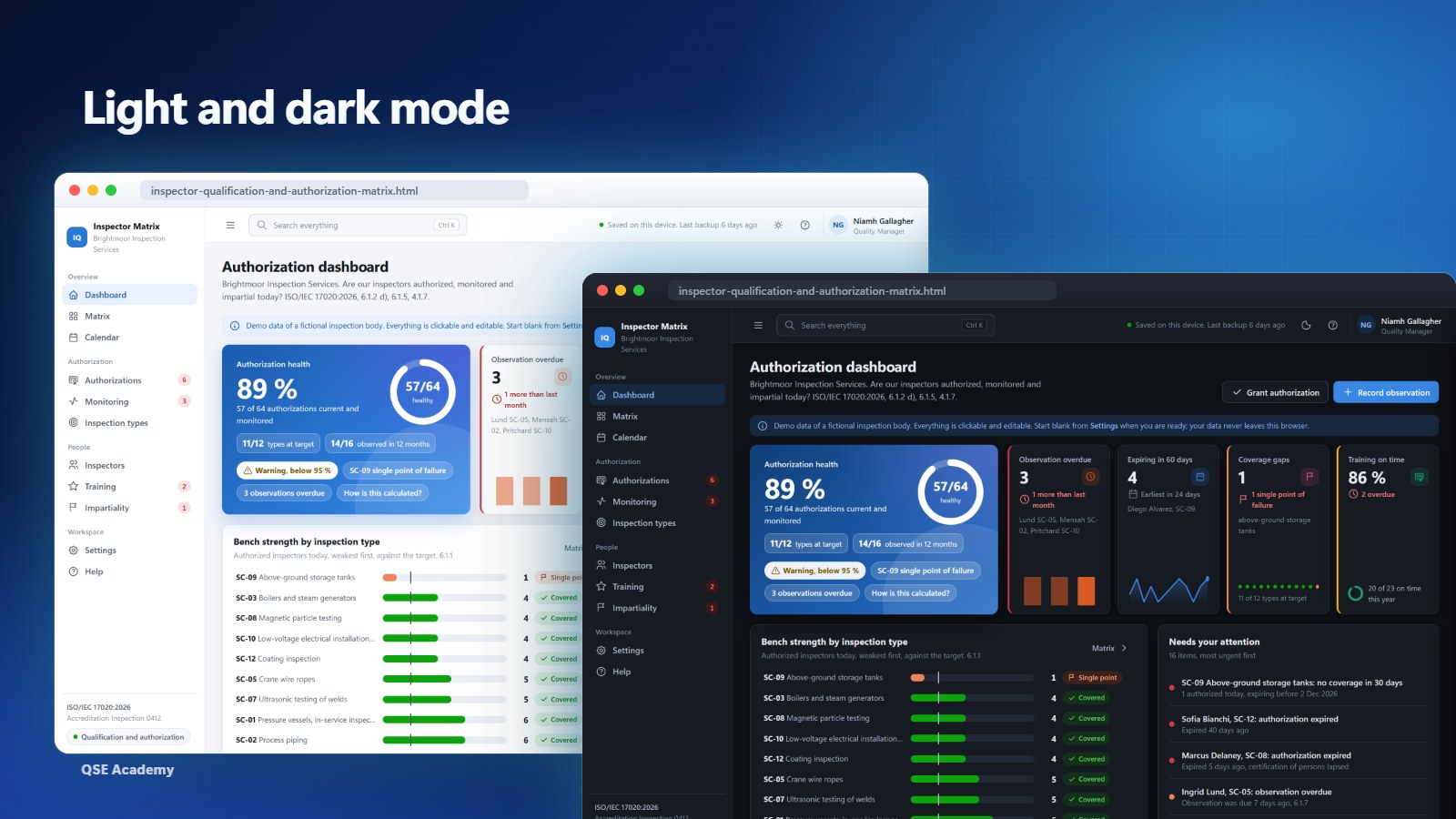
Light, dark and phone

Switch between a light and a dark theme. The layout adapts to a phone screen.

Light and dark themes

See it in 2 minutes

The demo inspection body, from the "Your data" settings to the matrix at +30 days, a readiness check and an observation plan.

Your data stays with you

No account, no cloud, no subscription. The matrix lives in your browser, and you keep the backup with your personnel records.

Settings screen with the Your data card: back up, restore, load demo, start blank
  • Works offline. One HTML file that opens in your browser. Nothing to install, no internet connection needed.
  • Nothing is sent anywhere. Your records are stored in this browser only.
  • Backup in one click. The date of your last backup is shown. Restore it on the same or another computer.
  • Demo, then blank. Load the demo inspection body to see every screen filled, then start blank with your own inspectors.

Who this tool is for

  • Technical managers of inspection bodies
  • Quality managers
  • Third-party inspection companies
  • In-house inspection departments
  • Inspection bodies preparing accreditation or the 2026 transition
  • Consultants supporting ISO/IEC 17020 bodies

Requirements

BrowserChrome, Edge, Firefox or Safari.
ComputerWindows or Mac.
InstallationNone. You open the HTML file, that is all.
PhoneThe layout adapts to a phone screen.
InternetNot needed to use the matrix.
LicenceSingle user, on one computer.

How to get it

  1. 1
    Buy the tool89 USD, one-time payment, secure checkout.
  2. 2
    DownloadThe matrix file and the Quick Start Guide (PDF) from your order.
  3. 3
    Open itDouble-click the file. It opens in your browser, offline.
  4. 4
    Explore, then startWalk through the demo inspection body, then start blank with your own inspectors.

Frequently asked questions

Is there a subscription?

No. You pay 89 USD once. Updates of version 1 are free.

Does it follow the 2026 or the 2012 edition?

Both. ISO/IEC 17020:2026 is the default; switch to 2012 in Settings. Every clause reference on screens and printouts follows the edition you choose, and your data stays the same.

Which browsers and computers does it work on?

Chrome, Edge, Firefox and Safari, on Windows and Mac. It is a file opened by your browser. It also adapts to a phone screen.

Can several people use it?

No. One licence covers one user on one computer. For a colleague, buy a second licence. Your data lives in the browser of your computer, with no sync between computers.

How do I move to another computer?

Download a backup in Settings, copy the HTML file and the backup to the new computer, open the file and restore the backup.

What happens if I clear my browser data?

The matrix stored in that browser is erased. Restore your latest backup and you are back where you were. Settings shows the date of your last backup.

Can I import my current spreadsheet?

Version 1 has no spreadsheet import: you enter your inspectors, inspection types and authorizations through forms. Every register exports to CSV and prints.

What is out of scope?

Training content and e-learning, payroll and HR files, job and report management, scheduling of inspection jobs and certification of persons (ISO/IEC 17024). The tool supports your work on ISO/IEC 17020; it does not replace the standard or an accreditation decision.

Know who may inspect what, from tomorrow morning

89 USD, one-time payment, no subscription, instant download.

Buy the tool, 89 USD

Complete your ISO/IEC 17020 system