NEW: the ISO 14001:2026, ISO/IEC 17020:2026 and FSSC 22000 V7 documentation kits are now available.

Interactive tool ยท ISO 9001:2015 and 2026

Customer Complaint Log

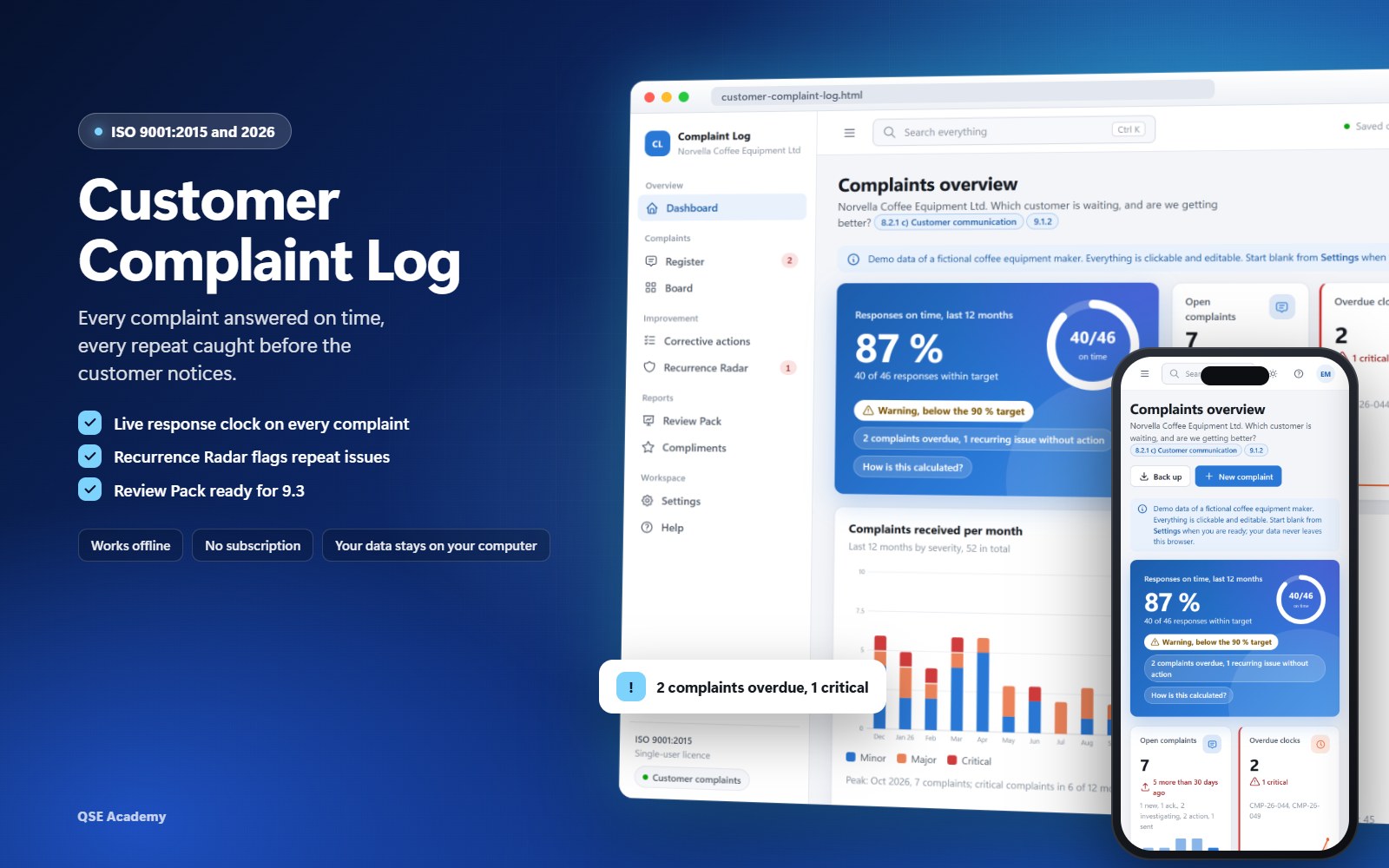
Every complaint answered on time, every repeat caught before the customer notices. A live clock on each complaint, a radar that flags recurring faults, and the management review input in one click.

  • Works offline, no installation
  • Clocks, radar, review pack
  • Demo company, then start blank
  • Light, dark and phone

One-time payment. No subscription. Instant download.

One HTML file that follows every customer complaint from receipt to closure, with its corrective action, its cost and the customer's answer, built for ISO 9001 clauses 8.2.1 c), 8.7, 9.1.2, 9.3.2 and 10.2. Clause numbers follow the edition you choose, 2015 or 2026. For quality managers and customer service leads of small and medium companies, and the consultants who support them.

What you will be able to do

  • See which customer is waiting, every morningAcknowledge, respond and close targets on every complaint, green, amber or red with the days left or late.
  • Treat a repeat fault once, not four timesComplaints on the same product and category are grouped, and one corrective action is linked to all of them.
  • Show the auditor that your actions workedEach corrective action gets a verification date, a result and its evidence (10.2.1 d)), and a fault that comes back is flagged.
  • Bring complaint trends to management review in one clickTrends, Pareto, response performance, cost and action effectiveness, printed on A4 for 9.1.2 and 9.3.2.

Three things your spreadsheet cannot do

Complaint board with a response clock chip on every card, late clocks in red
1Clause 8.2.1 c)

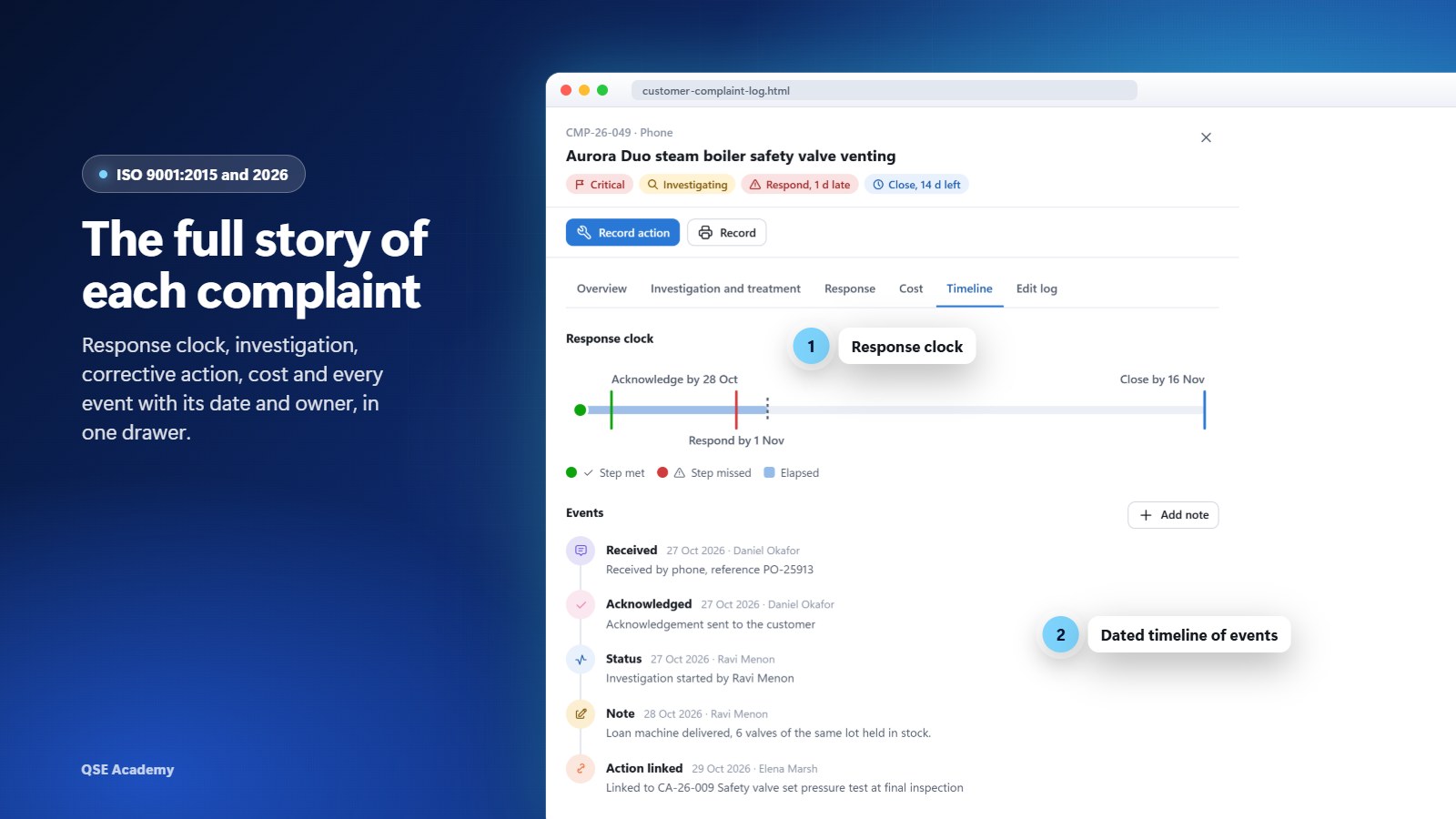
A response clock on every complaint

Log a complaint and its three target dates appear at once: acknowledge, respond and close, set by severity. Each clock turns green, amber or red with the days left or late, on the board, in the register and in the complaint timeline. The targets are your own settings, by default 1, 5 and 20 days for a critical complaint, and a card moved on the board is refused if a step is missing.

Recurrence Radar heat map of products against complaint categories, with a recurring cluster flagged
2Clauses 10.2.1 b) 3) and 9.1.3 b)

Repeat complaints caught by the Recurrence Radar

A heat map of your products against complaint categories over a rolling window, 90 days by default. Three complaints on the same cell flag a recurring cluster, and one button opens a single corrective action linked to all of them, with the similar issues already filled. If the fault returns after the action was judged effective, the Radar raises "Recurred after action".

Review Pack with the customer satisfaction section, complaints and compliments per month and key figures
3Clauses 9.1.2 and 9.3.2

Your management review input, built in one click

Pick a period and the Review Pack writes the complaint input: trends against the previous period, Pareto by category, responses on time, cost of complaints, corrective action effectiveness and improvement opportunities. Each section has its sentences built from your figures, a chart, a table and a comment box, lettered as in the 2015 or the 2026 edition. Print it on A4 or export it to CSV.

Stop building complaint charts the day before management review

49 USD, one-time payment. Open the file and work, offline, from the first minute.

Buy the tool, 49 USD

What's inside

Dashboard and attention list

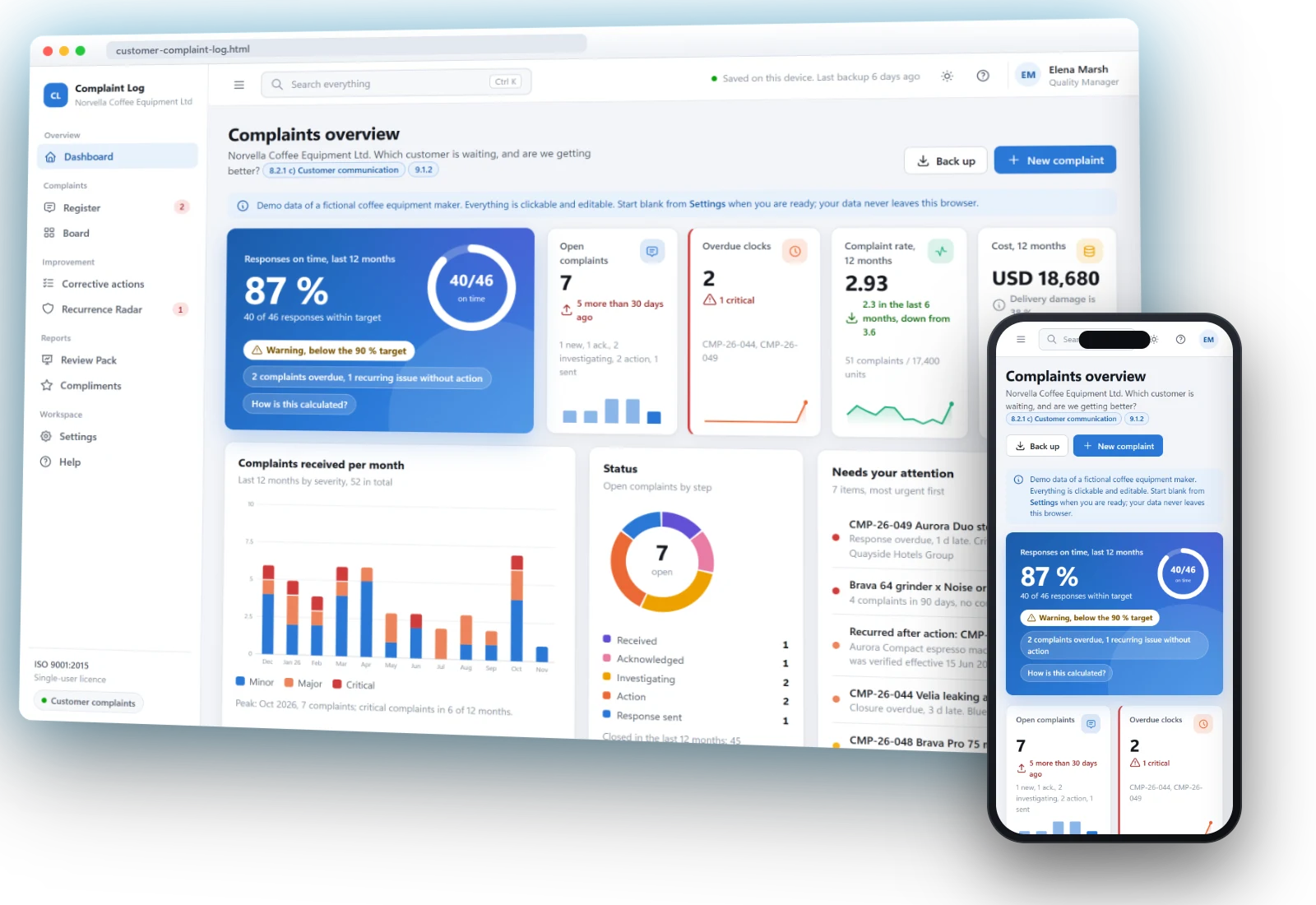
Responses on time over 90 days, open complaints, overdue clocks, complaint rate per 1000 units shipped and cost of complaints, five charts and an attention list of what is late or due, each entry linked to its record.

Dashboard with responses on time, key figures and the attention list
Complaints register and board

A fast new complaint form with eight required fields, filters for open, overdue, critical and recurring complaints, and a board in six lifecycle columns from Received to Closed. Import your complaints by CSV.

Complaint board in lifecycle columns
Complaint record and timeline

Investigation and root cause, treatment of the nonconforming output (8.7.1 a) to d)), the response and the customer's reaction, cost lines, and a timeline of every step with the response clock on top. Changes after closure are logged with their reason.

Complaint timeline with the response clock strip
Corrective actions and effectiveness

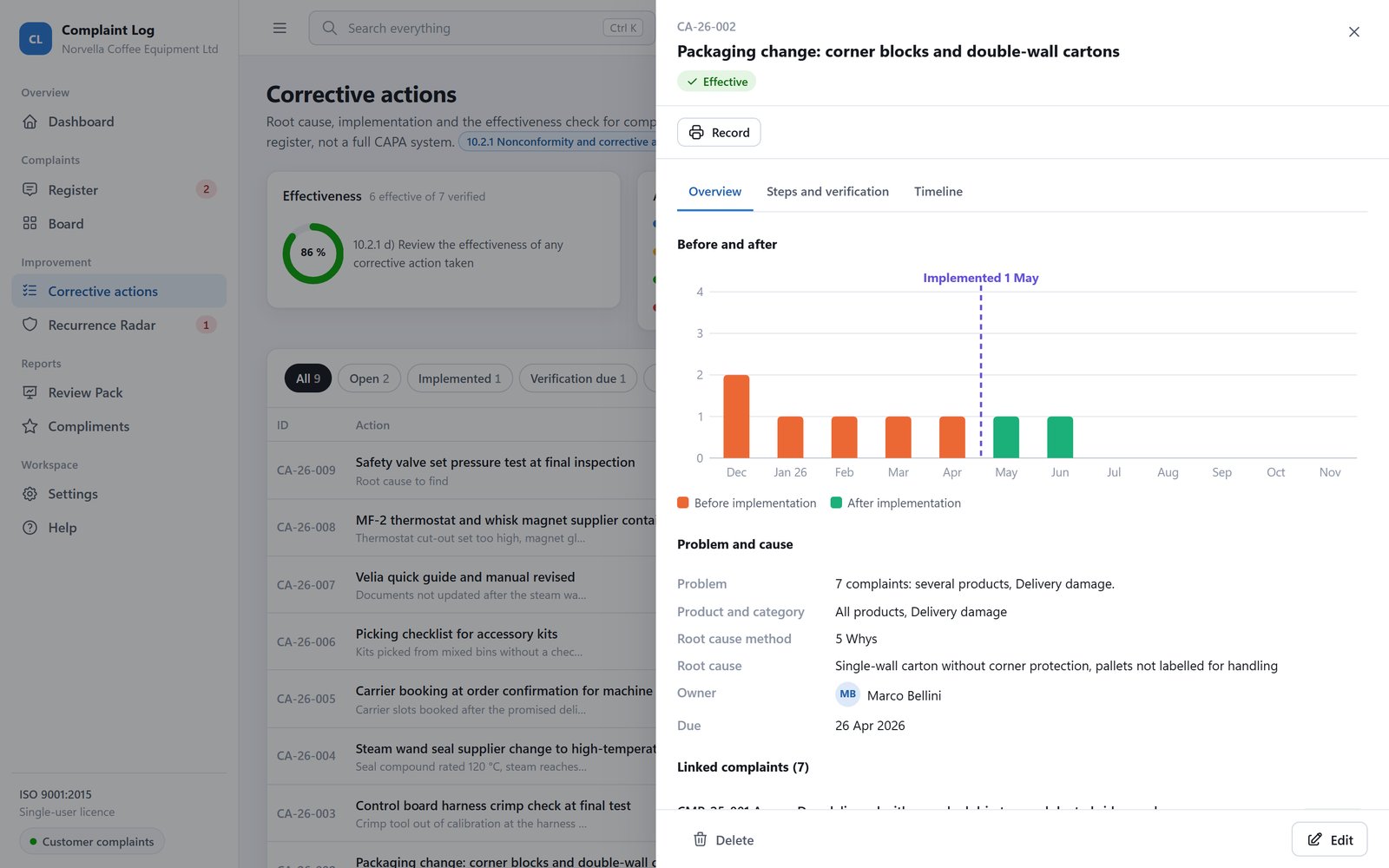
A light action register for complaints: linked complaints, root cause, action steps, verification due 90 days after implementation by default, result and evidence (10.2.1, 10.2.2). A chart shows the complaints of the product before and after the action.

Corrective action record with the chart of complaints before and after the action
Recurrence Radar

Products against categories, recurring and watch clusters, "Recurred after action" and the 12-month share of repeat complaints. Window and threshold are settings.

Recurrence Radar heat map
Review Pack

The complaint input to 9.1.2 and 9.3.2 for any period, compared with the previous one, with a decisions box titled after 9.3.3. Prints on A4 with a cover page and exports one CSV.

Review Pack
Compliments

A short list of positive feedback, counted next to complaints in the Review Pack as a source of customer satisfaction (9.1.2).

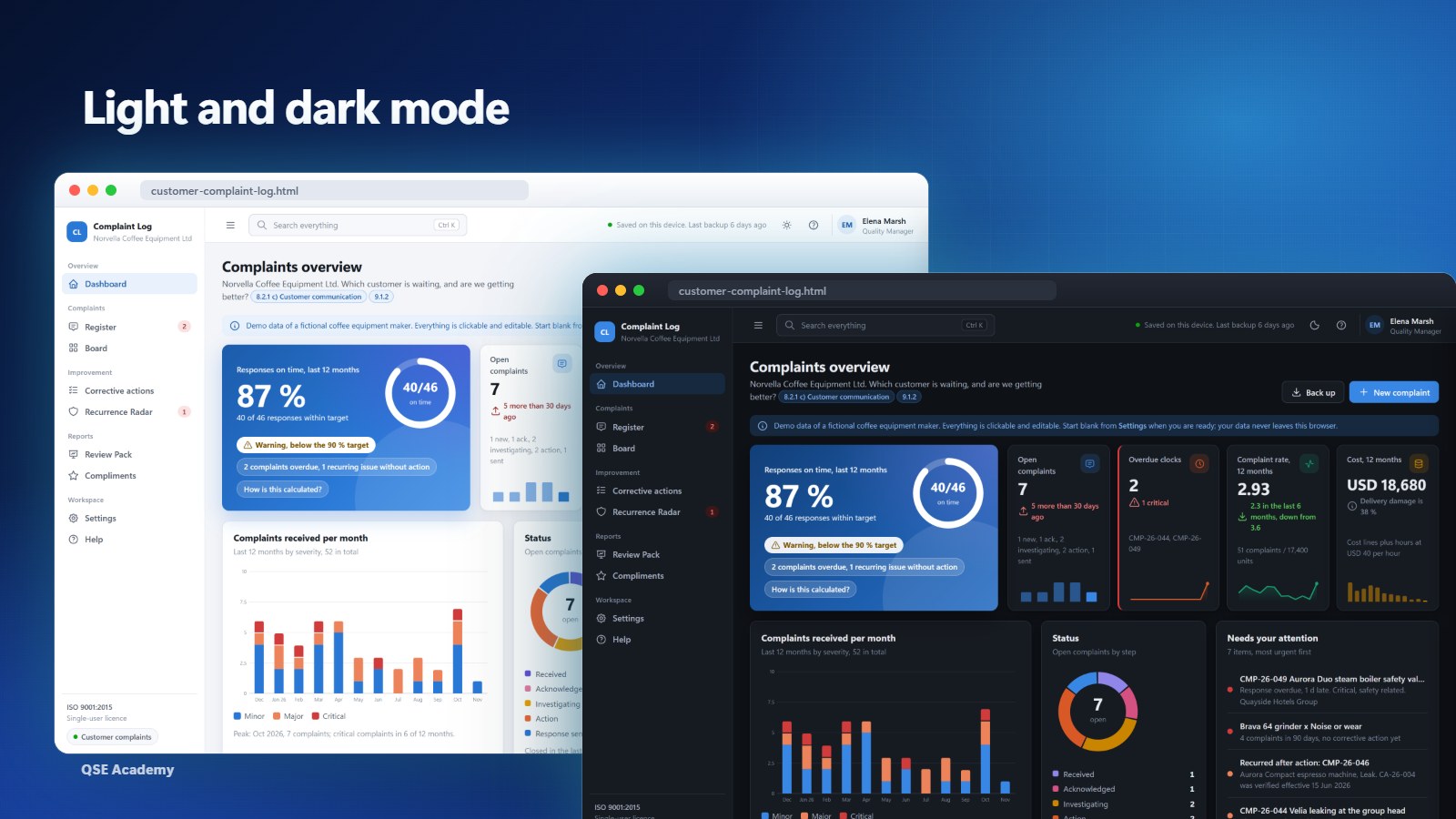
Light, dark and phone

Switch between a light and a dark theme. The layout adapts to a phone screen to check a complaint away from your desk.

Light and dark themes

See it in 2 minutes

The demo company, from the "Your data" settings to the response clock, the Recurrence Radar and the Review Pack.

Your data stays with you

No account, no cloud, no subscription. The log lives in your browser, and you keep the backup with your quality records.

Settings screen with the ISO 9001 edition switch and the Your data card: download a backup, restore, load the demo organization, start blank
  • Works offline. One HTML file that opens in your browser. Nothing to install, no internet connection needed.
  • Nothing is sent anywhere. Your complaints are stored in this browser only.
  • Backup in one click. The date of your last backup is always shown (7.5.3). Restore it on the same or another computer.
  • Demo, then blank. Load the demo company, a coffee equipment maker with a year of complaints, to see every screen filled, then start blank with your own.

Who this tool is for

  • Quality managers
  • Customer service leads
  • ISO 9001 certified companies
  • Companies preparing for certification
  • Teams leaving an Excel complaint sheet
  • Consultants setting up a QMS for clients

Requirements

BrowserChrome, Edge, Firefox or Safari.
ComputerWindows or Mac.
InstallationNone. You open the HTML file, that is all.
PhoneThe layout adapts to a phone screen.
InternetNot needed to use the log.
LicenceSingle user, on one computer.

How to get it

  1. 1
    Buy the tool49 USD, one-time payment, secure checkout.
  2. 2
    DownloadThe log file and the Quick Start Guide (PDF) from your order.
  3. 3
    Open itDouble-click the file. It opens in your browser, offline.
  4. 4
    Explore, then startWalk through the demo company, then start blank with your own complaints.

Frequently asked questions

Is there a subscription?

No. You pay 49 USD once. Updates of version 1 are free.

Does it follow ISO 9001:2015 or ISO 9001:2026?

Both. Choose your edition in Settings, 2015 by default. Clause numbers, labels and the lettering of the Review Pack follow it, and the 2026 edition adds its own prompts, such as the contingency information of 8.2.1 e). Switching changes no data, so you can move to 2026 when your certification does.

Which browsers and computers does it work on?

Chrome, Edge, Firefox and Safari, on Windows and Mac. It is a file opened by your browser. It also adapts to a phone screen.

Can several people use it?

No. One licence covers one user on one computer. You can name your colleagues as complaint and action owners, but the log lives in the browser of your computer, with no sync between computers. For a colleague who needs the tool on their own computer, buy a second licence.

How do I move to another computer?

Download a backup in Settings, copy the HTML file and the backup to the new computer, open the file and restore the backup.

What happens if I clear my browser data?

The log stored in that browser is erased. Restore your latest backup and you are back where you were. The last backup date is shown at the top of every screen.

Can I import my current Excel sheet?

Yes, save it as CSV and import it in the complaints register. Complaints, corrective actions and compliments all export to CSV.

Are the response targets ISO requirements?

No. ISO 9001 does not set response times. The targets by severity are your own settings, by default 1, 5 and 20 days for critical, 2, 10 and 30 for major, 3, 15 and 45 for minor, in calendar or working days.

What is out of scope?

A full CAPA system (the log has a light action register and a reference field for your own NCR), storing attached files (a file name or path is recorded), pausing clocks while you wait for the customer, and a holiday calendar.

Know which customer is waiting, from tomorrow morning

49 USD, one-time payment, no subscription, instant download.

Buy the tool, 49 USD

Complete your ISO 9001 system